WordPress plugin
Loading Page with Loading Screen Premium: Image-Based Progress
Loading Page with Loading Screen Premium preloads page images and displays a screen with a loading percentage. The percentage is based on the page’s images, so it indicates picture-loading progress. When the loading process finishes, the screen disappears. You can pick an animation to reveal the page content afterward.
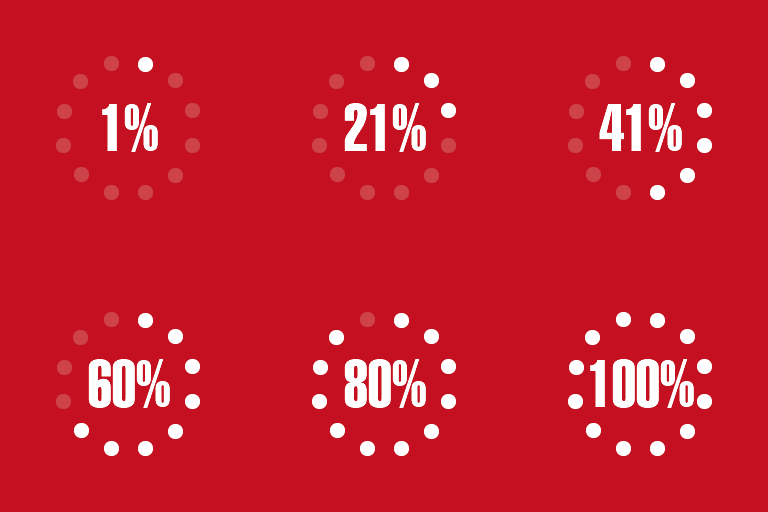
What the progress screen measures
Loading Page with Loading Screen Premium preloads page images and displays a screen with a loading percentage. The percentage is based on the page’s images, so it indicates picture-loading progress. When the loading process finishes, the screen disappears. You can pick an animation to reveal the page content afterward.
Choose the screen and where it appears
Select a bar, logo, or text screen, with additional screen options in the premium version. A text screen can show the site title or another short text. Choose whether to show the percentage, and select an image for the logo screen when using that style.
Set the screen to appear on the homepage, all pages, or selected pages and posts. You can identify selected entries by ID or use URL rules, including partial URLs and wildcards. Exclude pages or posts by ID, choose desktop, mobile, or both, and limit the screen to once per session. An additional-seconds setting can keep it visible briefly after loading finishes.
Set colors and backgrounds
Choose the foreground color for progress graphics and text, and set the screen’s background color. You can adjust background color transparency or use an image that is tiled, centered, or displayed fullscreen. The options let you coordinate the screen with the site’s design.
Defer off-screen images
Premium lazy loading delays images outside the user’s current viewing area until they are needed. This can reduce image downloads when visitors do not scroll through the whole page. You can select a placeholder to show in place of images while they load; the extension recommends using a lightweight image.
Configure the plugin
Install and activate the plugin in WordPress, then open Settings > Loading Page or use the options link in the Plugins area. Enable the loading screen and choose its page or post scope, devices, and exclusions. Then select a screen style, set its colors and background, and configure the percentage display and page reveal animation. Premium lazy loading and its placeholder are available in the lazy-loading settings.